
Photography
January 10, 2022
Illustration using Collage
January 12, 2022Collage Portrait
..... By Sam Ivin
OVERVIEW
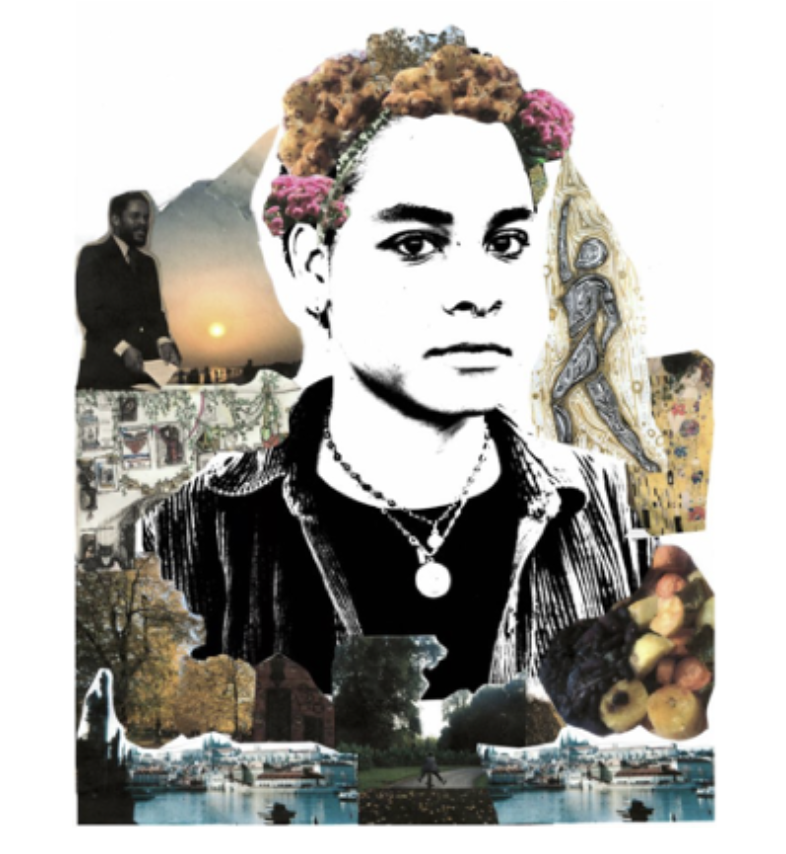
This worksheet will help you create a striking collage portrait of yourself using personal images that are important to you. Using collaging techniques, you will explore your unique experience of growing up and your individual identity.
RESOURCE LIST
• One headshot photo of your face printed at A4 or A3 size in black and white
• 12 – 20 images that are important to you, sized about 4 per A4 page, e.g. family, friends, pets etc.
• Scissors
• Glue stick
• Pens and markers




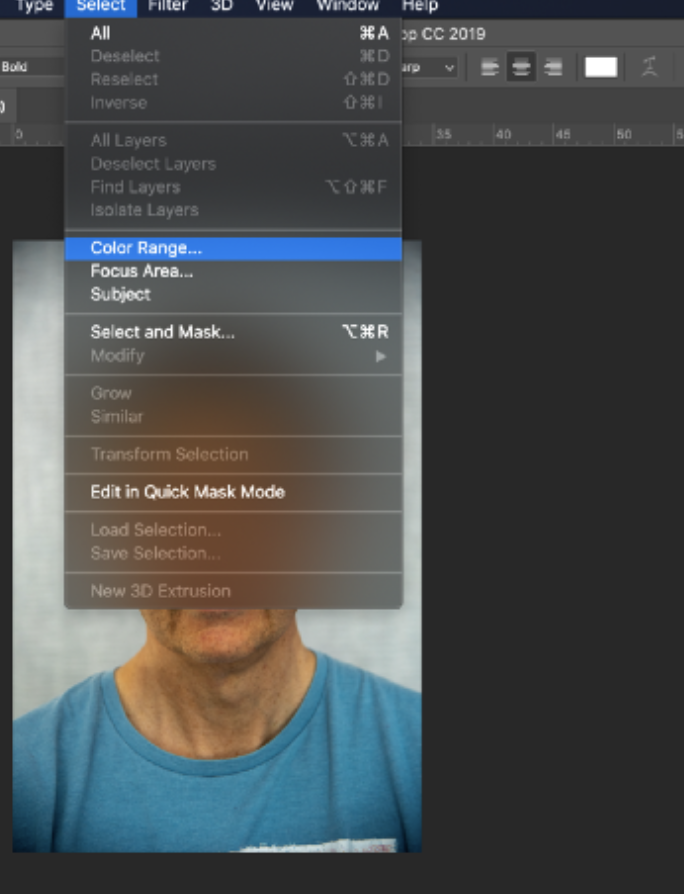
 Creating a black template - To create a template you need Photoshop or another imaging editing software. Firstly, make sure your image is high contrast. Then select the shadows of your image by going to the top Select menu and selecting colour range. Then select shadows adjusting the fuzziness and range until you see an outline of a person’s face come through in the white selection box below. You may need to repeat this stage 2 or 3 times in order to achieve a good selection.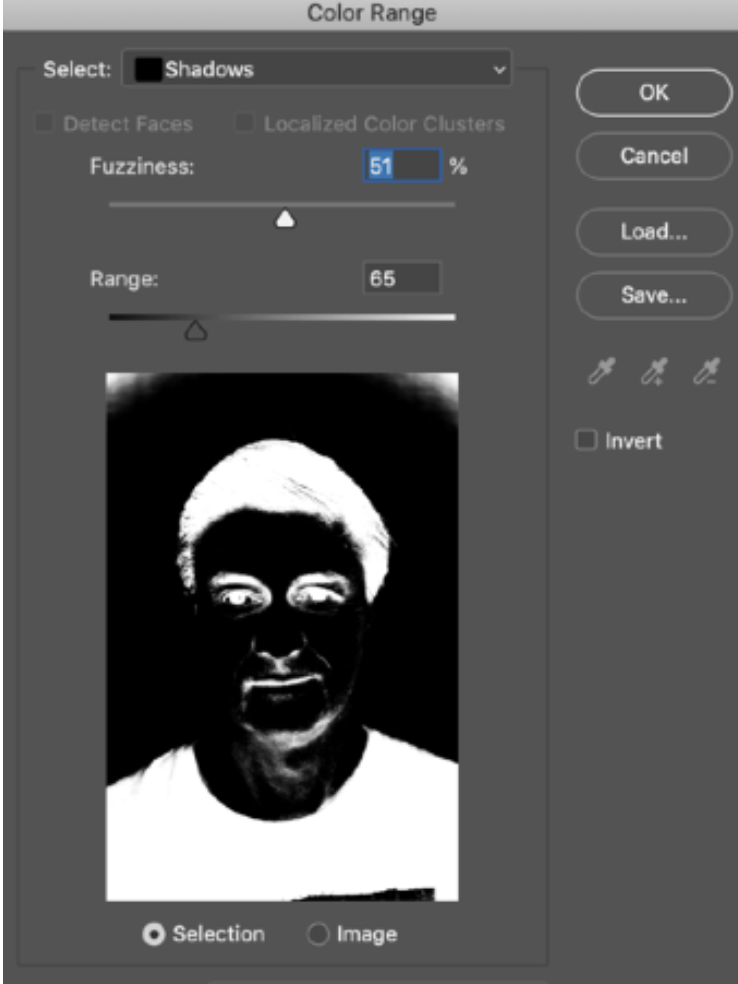




 Creating your portrait – Once you have printed all of your images, you can begin your collage! Cut out all of your personal images and lay them out onto your portrait. Move them around until they are in a composition you are happy with and you can begin gluing them in place.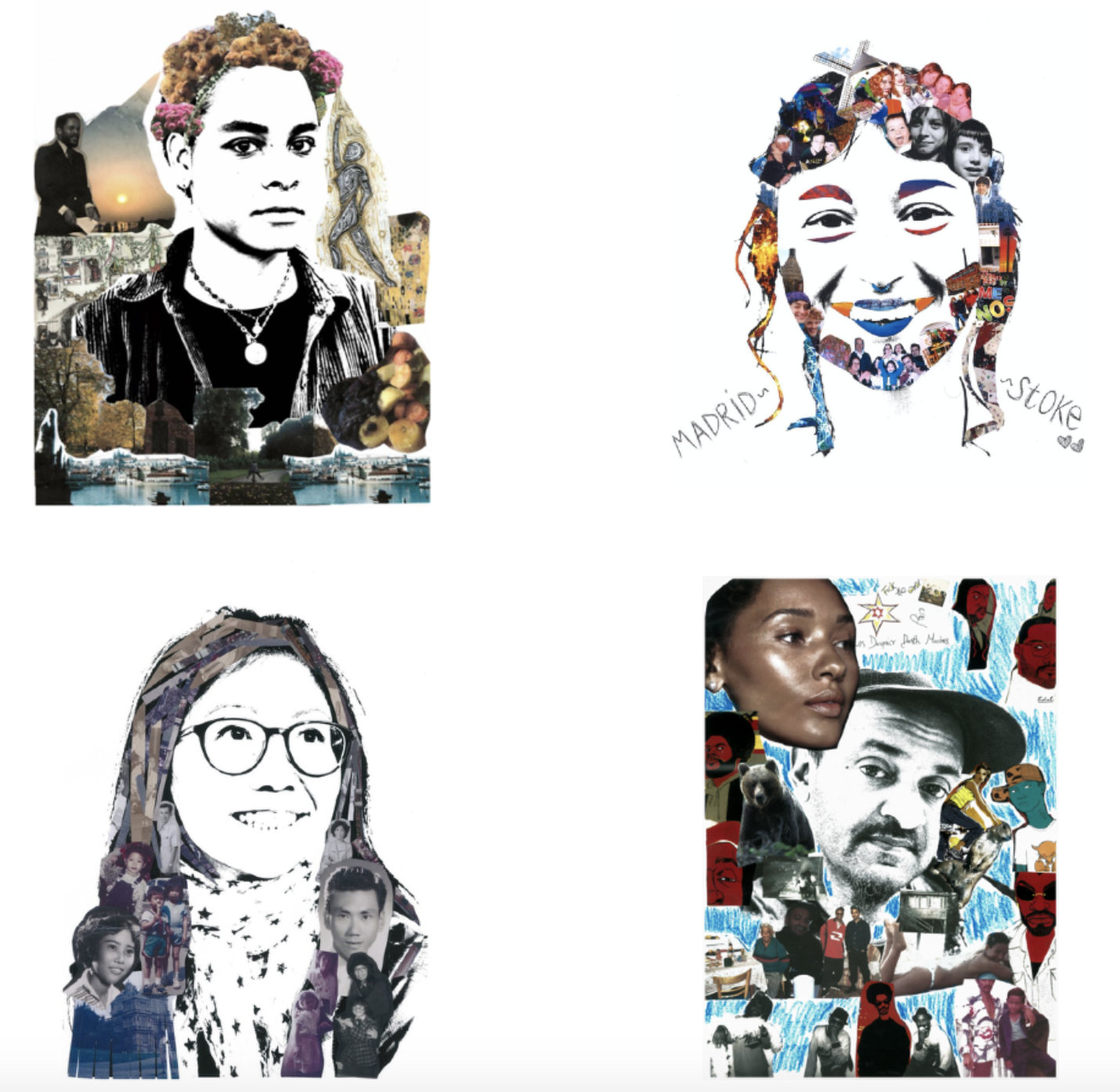

Once you have finished sticking down all of your images, consider writing text to go alongside your portrait or draw on top of it creating another layer to your image.